The Ledger screen
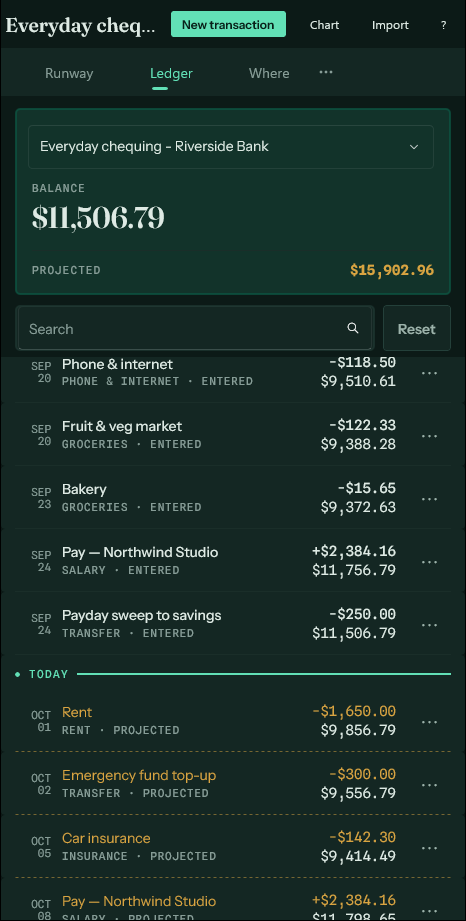
Every entry for one account, past and forecast, with a running balance.
One account at a time — pick it at the top. The figures beside the picker are what the account holds now and where it is heading.
Each row is one entry: the date, what it was, its category, the amount, and the balance the account stands at afterwards. A line across the list marks today, so the forecast below it is unmistakable.
What you can do here#
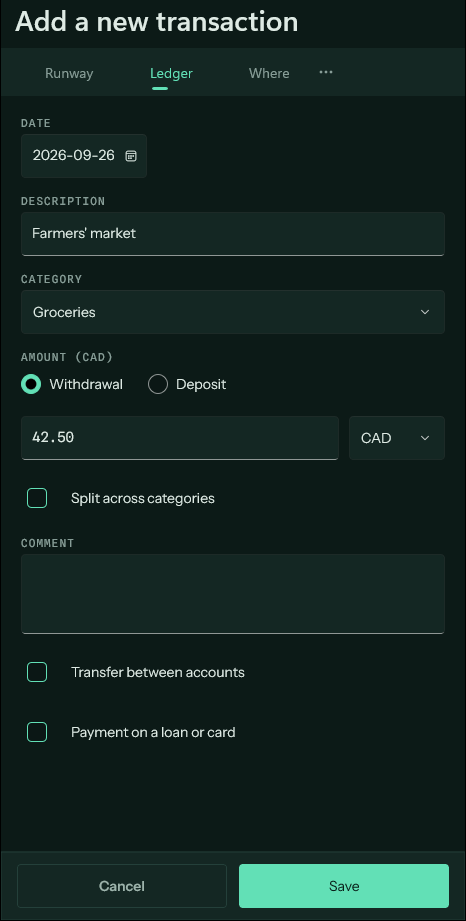
- New entry records something by hand: a purchase, a transfer, a deposit. One receipt that covers several categories can be split across them.
- Search filters the list by description or category.
- Import reads a statement file and reconciles it against what is already here.
- Tap any row to edit it. Swipe a row for its other actions.