Moving to a new phone or computer
There is no sync, so your ledger moves as a backup file.
Alvenera keeps everything on one device and has no account to sign in to, so a new device starts empty. A backup file is how your ledger gets there.
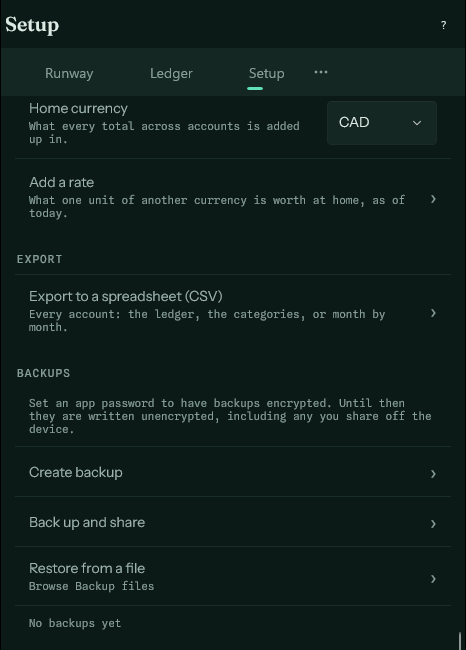
- On the old device, open Setup and choose Back up and share.
- Send the backup somewhere the new device can reach: your own cloud storage, a USB key, an email to yourself.
- Install Alvenera on the new device. On the first-run screen, leave the first account's name blank and choose Restore from file.
- Pick the backup file. If it was made with an app password, you are asked for that password.
Between platforms#
A backup made on one platform restores on any other: a phone's ledger can move to a Windows computer and back.
Two devices at once#
You can restore the same backup on two devices, but they do not stay in step. From that moment each has its own ledger, and changes made on one never reach the other. Choose one device to keep your ledger on, and treat any other copy as a snapshot.