More than one currency
Accounts in different currencies, and one total across them.
Each account holds one currency, chosen when it is created. Its ledger, its balance and its own reports are all in that currency.
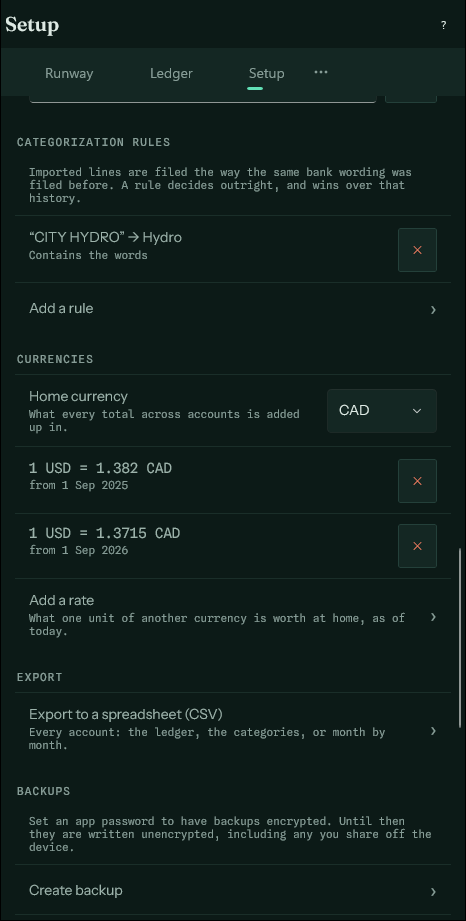
Anything that adds accounts together — the runway, what is held now, the budget, Where for all accounts, net worth — is stated in your home currency, chosen on first launch and changed in Setup. Every other currency needs an exchange rate, which you type in: the app makes no network connections, so there is nowhere for it to fetch one from.
Rates#
A rate is what one unit of the other currency is worth at home, from a date on. Each entry is converted at the latest rate on or before its own date, so recording this month's rate does not revalue last year. An entry older than every rate uses the oldest one.
Until a currency has a rate, accounts that hold it are left out of the totals, and the Runway screen says so rather than counting them at a guess.
Transfers between currencies#
A transfer from a Canadian account to an American one is the same money, but not the same number. When the two accounts differ, the form asks for the amount received as well as the amount sent, and a recurring transfer remembers both.
Entries in another currency#
Any entry can be made in another currency than its account's: a US-dollar purchase on a Canadian card, say. Pick the currency beside the amount and type what the receipt says. The form then asks what the account was charged, filled in from your exchange rate for that date — change it to the figure the bank actually took. Without a rate, it is left for you to type.
The account's balance and every report use what was charged; the ledger shows the original amount beside it.